When buying a new laptop, one of the most common questions is whether 8GB RAM is sufficient or if it’s worth investing in 16GB RAM. The answer depends on how you plan to use your laptop. While 8GB of RAM is still adequate for basic computing tasks, modern software and multitasking demands have made 16GB the preferred choice for many users.
From web browsing and online classes to video editing, programming, and gaming, different workloads require different amounts of memory. Choosing the right RAM capacity not only affects your laptop’s current performance but also determines how well it handles future software updates.
This guide compares 8GB and 16GB RAM to help you decide which option is best for your needs.
What Is RAM?
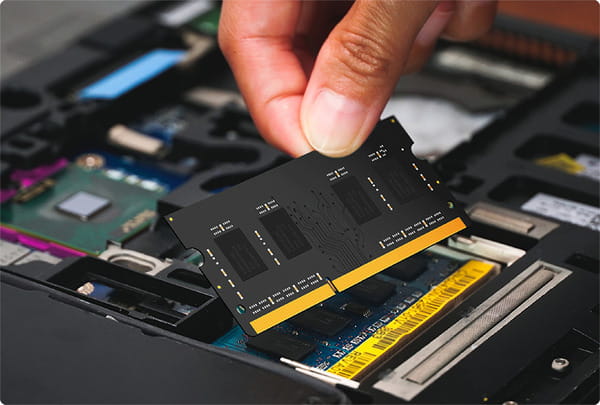
RAM (Random Access Memory) is the temporary memory your laptop uses to store data that the processor needs immediately. Unlike your SSD or hard drive, RAM only stores information while the computer is powered on.
When you open applications, browser tabs, or documents, they are loaded into RAM for quick access.
The more RAM your laptop has, the more tasks it can handle simultaneously without slowing down.
Why RAM Matters
Having enough RAM improves:
- Multitasking
- Application loading
- System responsiveness
- Browser performance
- Gaming experience
- Video editing
- Programming workflows
Insufficient RAM forces the operating system to rely more heavily on the SSD or hard drive for temporary storage, which is much slower and can make the laptop feel sluggish.
Is 8GB RAM Enough?
For many users, yes.
An 8GB RAM laptop is suitable for:
- Web browsing
- Microsoft Office
- Online classes
- Video streaming
- Social media
- Basic photo editing
- Everyday productivity
If you typically run only a few applications at a time, 8GB can provide a smooth experience.
However, modern web browsers often consume significant memory, especially with many tabs open.
When 8GB RAM May Feel Limited
You may notice slowdowns if you frequently:
- Open 20 or more browser tabs.
- Run multiple Office applications together.
- Edit large photos.
- Use virtual machines.
- Develop software.
- Edit videos.
- Play modern games.
- Work with engineering software.
In these situations, 8GB RAM can become a bottleneck.
Why 16GB RAM Is Becoming the Standard
Many new laptops now include 16GB RAM because modern operating systems and applications require more memory than they did a few years ago.
A 16GB laptop offers:
- Better multitasking
- Faster switching between applications
- Smoother performance under heavy workloads
- Greater future-proofing
- Improved productivity
For most buyers purchasing a laptop today, 16GB provides a better long-term experience.
Who Should Choose 8GB RAM?
An 8GB configuration is a good option for:
Students
Students using laptops primarily for:
- Research
- Assignments
- Online classes
- Office applications
can comfortably use 8GB RAM.
Home Users
If your daily activities include:
- Web browsing
- Streaming movies
- Online shopping
- Video calls
8GB is generally sufficient.
Budget Buyers
If your budget is limited and your workload is light, purchasing an 8GB laptop with a fast SSD is often a better choice than buying a slower laptop with more RAM.
Who Should Choose 16GB RAM?
A 16GB laptop is recommended for:
Programmers
Software development often involves:
- Multiple IDEs
- Databases
- Docker containers
- Virtual machines
Extra RAM improves workflow significantly.
Engineering Students
Applications such as:
- AutoCAD
- MATLAB
- SolidWorks
- ANSYS
benefit from additional memory.
Content Creators
Photo and video editing software requires substantial RAM.
Programs like:
- Adobe Photoshop
- Adobe Premiere Pro
- DaVinci Resolve
perform much better with 16GB or more.
Gamers
Modern games often recommend 16GB RAM for smoother gameplay and better multitasking while streaming or running background applications.
Business Professionals
Professionals managing large spreadsheets, presentations, communication apps, browsers, and business software simultaneously will appreciate the additional memory.
RAM vs SSD: Which Is More Important?
Both are important but serve different purposes.
RAM affects:
- Multitasking
- Active applications
- System responsiveness
An SSD affects:
- Boot speed
- File transfers
- Application loading
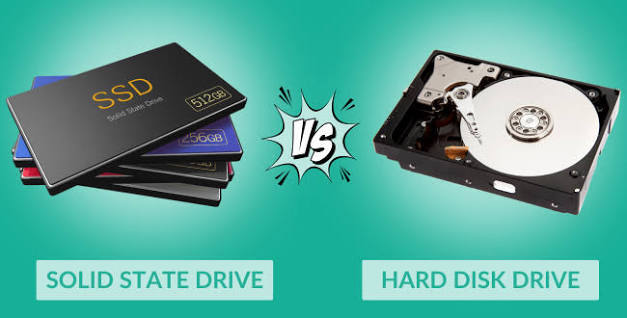
A laptop with 8GB RAM and an SSD will usually feel much faster than one with 16GB RAM and a traditional hard drive.
Ideally, choose both:
- 16GB RAM
- SSD storage
for the best experience.
Can You Upgrade RAM Later?
Some laptops allow RAM upgrades, while others have memory permanently soldered to the motherboard.
Before purchasing, check:
- Whether RAM is upgradeable.
- The maximum supported RAM.
- Number of available RAM slots.
Choosing an upgradeable laptop provides greater flexibility in the future.
Does More RAM Improve Battery Life?
Not necessarily.
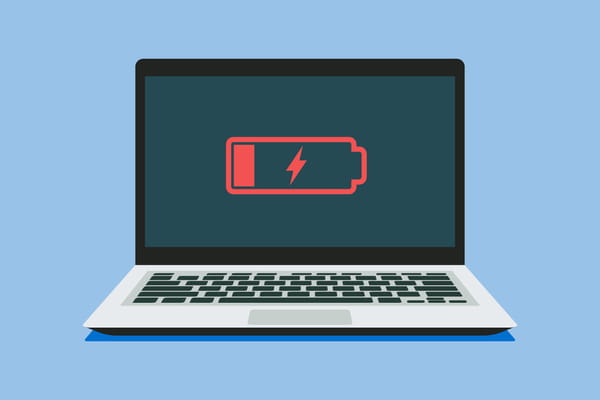
Additional RAM itself has only a small impact on battery consumption.
Battery life depends more on:
- Processor efficiency
- Display brightness
- Background applications
- Battery capacity
- Power settings
Modern RAM modules are designed to be energy efficient.
Common Mistakes to Avoid
Avoid these common buying mistakes:
- Buying 8GB RAM for demanding professional workloads.
- Assuming RAM alone determines laptop speed.
- Ignoring SSD storage.
- Purchasing non-upgradeable laptops without checking future needs.
- Paying extra for excessive RAM that your workload won’t use.
Always balance RAM with the processor and storage.
Future-Proofing Your Laptop
Software continues to become more demanding.
Choosing 16GB RAM today offers:
- Longer usable lifespan
- Better support for future software updates
- Improved multitasking
- Greater flexibility for changing workloads
Although 8GB remains usable for basic tasks, 16GB provides additional performance headroom.
Final Recommendation
Your decision should depend on how you use your laptop.
Choose 8GB RAM if you:
- Browse the internet.
- Use Office applications.
- Attend online classes.
- Perform basic productivity tasks.
- Have a limited budget.
Choose 16GB RAM if you:
- Program regularly.
- Edit photos or videos.
- Use engineering software.
- Play modern games.
- Frequently multitask.
- Want a laptop that remains capable for several years.
For most buyers purchasing a laptop in 2026, 16GB RAM offers the best balance between performance and longevity.
Conclusion
Both 8GB and 16GB RAM have their place, but the right choice depends on your workload. For everyday tasks such as web browsing, document editing, and video streaming, 8GB RAM remains sufficient. However, if you regularly multitask, use professional software, create content, or want your laptop to stay responsive for years to come, 16GB RAM is the better investment.
When choosing a laptop, don’t focus on RAM alone. Pair it with a modern processor and an SSD to achieve the best overall performance. By selecting the right configuration based on your needs, you’ll enjoy a smoother computing experience today while ensuring your laptop is prepared for tomorrow’s applications.
FAQs
1. Is 8GB RAM enough for Windows 11?
A. Yes. Windows 11 runs well on 8GB RAM for everyday tasks such as browsing, office work, video streaming, and online classes. Heavy multitasking and professional applications benefit from 16GB.
2. Is 16GB RAM worth the extra cost?
A. For users who multitask, program, edit videos, play games, or use engineering software, 16GB RAM is generally worth the additional investment because it offers smoother performance and better long-term usability.
3. Does more RAM make a laptop faster?
A. More RAM improves multitasking and allows applications to remain open without slowing down. However, processor performance and SSD speed also play major roles in overall system responsiveness.
4. Can I upgrade from 8GB to 16GB later?
A. It depends on the laptop model. Some laptops have upgradeable RAM, while others use soldered memory that cannot be replaced. Always check the specifications before buying.
5. Should I choose 8GB RAM with an SSD or 16GB RAM with an HDD?
A. If those are your only options, 8GB RAM with an SSD usually provides a faster everyday experience than 16GB RAM with a traditional HDD. Ideally, choose a laptop with 16GB RAM and an SSD for the best balance of speed and performance.