Buying a new laptop can be confusing, especially when you’re deciding between Intel Core and AMD Ryzen processors. Both brands offer powerful CPUs for everyday users, students, professionals, gamers, and content creators. However, the right choice depends on your budget, performance needs, battery life expectations, and the type of work you’ll be doing.
Over the years, AMD Ryzen processors have become strong competitors to Intel Core chips, offering impressive multi-core performance and excellent value. At the same time, Intel continues to lead in areas such as software compatibility, efficiency in many premium laptops, and advanced features in its latest processor families. Instead of asking which brand is “better,” it’s more useful to understand which processor is better suited to your specific requirements.
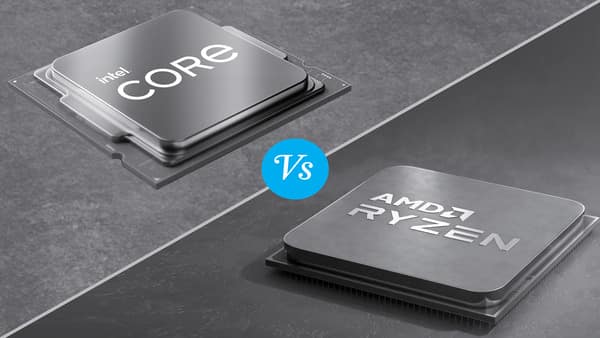
This guide compares Intel Core and AMD Ryzen processors to help you choose the right laptop.
Understanding Laptop Processors
The processor, also known as the Central Processing Unit (CPU), is responsible for executing instructions and managing tasks performed by your laptop.
A faster processor improves:
- Application performance
- Multitasking
- Programming
- Video editing
- Gaming
- 3D rendering
- Overall system responsiveness
Choosing the right processor helps ensure your laptop remains capable for several years.
What Is an Intel Core Processor?
Intel Core processors are among the most widely used laptop CPUs.
Popular product families include:
- Intel Core i3
- Intel Core i5
- Intel Core i7
- Intel Core i9
- Intel Core Ultra 5
- Intel Core Ultra 7
- Intel Core Ultra 9
The newer Intel Core Ultra series also integrates dedicated AI processing capabilities through a built-in Neural Processing Unit (NPU), making it well-suited for emerging AI-assisted applications.
Intel processors are available across budget, mainstream, and premium laptops.
What Is an AMD Ryzen Processor?
AMD Ryzen processors are designed to compete directly with Intel’s offerings.
Popular laptop series include:
- Ryzen 3
- Ryzen 5
- Ryzen 7
- Ryzen 9
AMD’s newer Ryzen AI series also includes NPUs for AI-enhanced workloads on supported laptops.
Ryzen processors are known for delivering strong multi-core performance and competitive pricing, making them popular among students, professionals, and creators.
Intel Core vs AMD Ryzen: Performance Comparison
Everyday Use
For tasks such as:
- Web browsing
- Microsoft Office
- Video streaming
- Online classes
both Intel Core and AMD Ryzen processors perform very well.
Most users won’t notice a significant difference during basic computing.
Multitasking
Modern Intel and AMD processors include multiple cores and threads, making them excellent for multitasking.
If you regularly keep dozens of browser tabs open while running office applications and communication tools, both platforms offer smooth performance when paired with sufficient RAM.
Programming
Developers using:
- Visual Studio Code
- Android Studio
- IntelliJ IDEA
- Eclipse
can comfortably work on either platform.
Performance depends more on the specific processor model, RAM, and SSD than on the processor brand.
Content Creation
Video editing, photo editing, and graphic design benefit from processors with higher core counts.
AMD Ryzen processors often provide excellent value for heavily multi-threaded workloads, while Intel processors also perform exceptionally well in professional creative applications, particularly in laptops with strong cooling and dedicated graphics.
Gaming
Gaming performance depends on:
- Processor
- Graphics card (GPU)
- RAM
- Cooling system
With similar laptop configurations, both Intel Core and AMD Ryzen processors deliver excellent gaming experiences.
The graphics card generally has a larger impact on gaming performance than the CPU alone.
Battery Life
Battery life depends on several factors, including:
- Processor efficiency
- Laptop design
- Battery capacity
- Display brightness
- Cooling system
Modern Intel Core Ultra and AMD Ryzen processors are both designed for improved power efficiency.
Instead of focusing only on the processor brand, review independent battery-life tests for the specific laptop model you plan to buy.
Integrated Graphics
Many laptops rely on integrated graphics instead of dedicated GPUs.
Integrated graphics are suitable for:
- Office work
- Web browsing
- Video streaming
- Casual gaming
- Basic photo editing
Recent Intel and AMD integrated graphics solutions have improved significantly and are capable of handling many everyday tasks smoothly.
Users working with demanding applications such as professional 3D rendering or modern AAA games should consider laptops with dedicated graphics cards.
Choosing the Right Processor Tier
Entry-Level Users
Suitable for:
- School work
- Internet browsing
- Office applications
Recommended processors:
- Intel Core i3/Core Ultra 3
- AMD Ryzen 3
Mainstream Users
Ideal for:
- College students
- Professionals
- Programming
- Multitasking
Recommended processors:
- Intel Core i5/Core Ultra 5
- AMD Ryzen 5
Power Users
Best for:
- Video editing
- Engineering software
- Software development
- Professional multitasking
Recommended processors:
- Intel Core i7/Core Ultra 7
- AMD Ryzen 7
Professional Workstations
Recommended for:
- AI development
- Advanced simulations
- Large-scale rendering
- Professional content creation
Suitable processors:
- Intel Core i9/Core Ultra 9
- AMD Ryzen 9
Other Laptop Specifications Matter Too
The processor is important, but overall performance also depends on other components.
Look for:
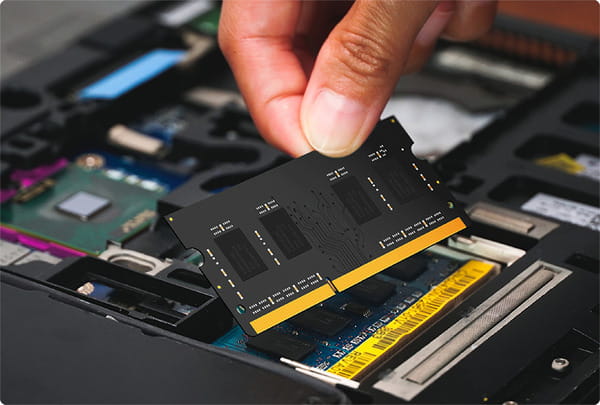
- At least 16 GB RAM for long-term usability.
- A 512 GB SSD or larger.
- Good cooling design.
- High-quality display.
- Reliable battery life.
- Comfortable keyboard.
- Sufficient ports.
A balanced laptop configuration often performs better than a system with only a high-end processor.
Common Mistakes Buyers Make
Avoid these common mistakes:
- Choosing a laptop based only on the processor brand.
- Buying an outdated processor generation.
- Ignoring RAM capacity.
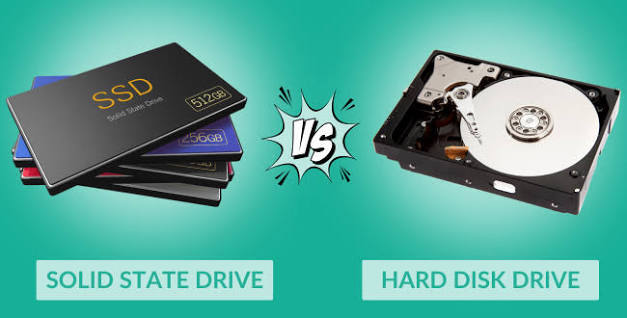
- Selecting a slow hard disk instead of an SSD.
- Overpaying for processor performance you won’t use.
- Ignoring display quality and battery life.
Consider the complete laptop rather than focusing solely on the CPU.
Which Processor Should You Choose?
Choose Intel Core if you:
- Prefer a wide range of laptop options.
- Need strong compatibility with professional software.
- Want a premium ultrabook with advanced AI features.
- Value consistent performance and efficiency.
Choose AMD Ryzen if you:
- Want excellent performance for the price.
- Frequently multitask.
- Run multi-threaded applications.
- Need strong productivity performance within a fixed budget.
For most buyers, both platforms offer excellent options, and the final decision should be based on the overall laptop configuration rather than the processor brand alone.
Conclusion
Intel Core and AMD Ryzen processors are both excellent choices for modern laptops. Whether you’re a student, professional, programmer, gamer, or content creator, either platform can deliver outstanding performance when matched with adequate RAM, fast SSD storage, and a well-designed laptop.
Instead of asking which processor brand is universally better, evaluate your workload, budget, and long-term needs. A modern Intel Core i5/Core Ultra 5 or AMD Ryzen 5 laptop is more than sufficient for most users, while power users may benefit from Core i7/Core Ultra 7 or Ryzen 7 processors. By considering the complete laptop configuration—not just the processor—you’ll make a smarter purchase that delivers reliable performance for years to come.
FAQs
1. Which is better: Intel Core or AMD Ryzen?
A. Neither brand is universally better. Both offer excellent processors across different price ranges. The best choice depends on your workload, budget, and the overall laptop configuration.
2. Is AMD Ryzen good for students?
A. Yes. Ryzen processors offer strong performance, efficient multitasking, and excellent value, making them a popular choice for students studying engineering, programming, business, and other disciplines.
3. Is Intel better for programming?
A. Both Intel Core and AMD Ryzen processors perform very well for programming. Adequate RAM, SSD storage, and a comfortable keyboard often have a greater impact on the development experience than the processor brand alone.
4. Which processor offers better battery life?
A. Battery life depends on the complete laptop design, battery capacity, display, and power management. Modern Intel Core Ultra and AMD Ryzen processors are both designed to deliver good power efficiency.
5. Should I buy an Intel Core i5 or AMD Ryzen 5 laptop?
A. For most users, either processor family is an excellent choice. Compare the complete laptop specifications—including RAM, SSD capacity, display quality, battery life, cooling system, and price—before making your final decision.