Choosing the right laptop is one of the most important decisions for an engineering student. Whether you’re studying mechanical, civil, electrical, electronics, or computer science engineering, your laptop will be your primary tool for coding, simulations, CAD design, research, and project work. While display quality, RAM, and storage are important, the processor (CPU) is the component that has the greatest impact on overall performance.
A powerful processor ensures that your laptop can handle demanding engineering software such as AutoCAD, SolidWorks, MATLAB, ANSYS, Revit, Android Studio, Visual Studio, and programming environments without frequent slowdowns. On the other hand, choosing a processor that is too basic may lead to poor multitasking performance and limit the laptop’s lifespan.
This guide explains how engineering students can choose the best laptop processor based on their branch, workload, and budget.
Why the Processor Matters
The processor acts as the brain of a laptop. It executes instructions, manages applications, and coordinates communication between hardware components.
Engineering students typically use software that requires:
- Heavy multitasking
- Large datasets
- Programming environments
- 3D modeling
- Simulations
- Virtual machines
- Data analysis
A capable processor helps these applications run smoothly and reduces waiting time during complex tasks.
Understand Your Engineering Requirements
Not every engineering discipline has the same hardware needs.
Computer Science and IT
Students usually work with:
- Programming IDEs
- Virtual machines
- Databases
- Android app development
- AI and machine learning tools
A modern multi-core processor is recommended for smooth performance.
Mechanical Engineering
Mechanical engineering students often use:
- AutoCAD
- SolidWorks
- CATIA
- ANSYS
These applications benefit from processors with strong single-core and multi-core performance.
Civil Engineering
Common software includes:
- AutoCAD
- Revit
- STAAD Pro
- ETABS
A mid-range to high-performance processor is suitable for handling large design files.
Electrical and Electronics Engineering
Students may use:
- MATLAB
- Simulink
- Multisim
- Proteus
A processor with good multi-threaded performance helps with simulations and calculations.
Intel vs AMD: Which Is Better?
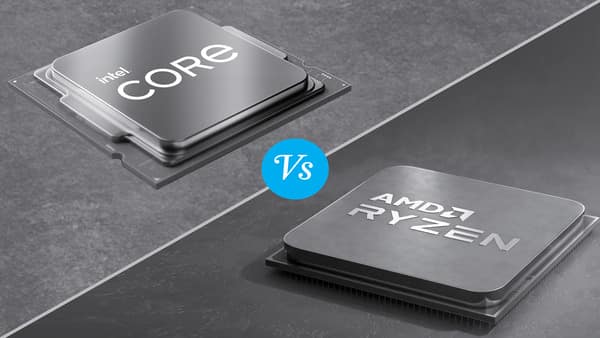
The two leading processor manufacturers are Intel and AMD. Both offer excellent options for engineering students.
Intel Processors
Intel processors are known for:
- Strong single-core performance
- Excellent compatibility with engineering software
- Efficient power management
- Stable performance across workloads
Recent Intel Core Ultra and Core i5, Core i7, and Core i9 processors are well suited for engineering applications.
AMD Processors
AMD Ryzen processors offer:
- Excellent multi-core performance
- Strong value for money
- Efficient multitasking
- Competitive integrated graphics on many models
Ryzen 5, Ryzen 7, and Ryzen 9 processors are popular choices among students seeking high performance within a reasonable budget.
For most engineering students, both Intel and AMD provide capable options. The best choice depends on your budget and the specific laptop configuration rather than the processor brand alone.
Choose the Right Processor Series
Different processor families target different users.
Entry-Level Users
If your work mainly involves:
- Microsoft Office
- Internet browsing
- Online classes
- Basic programming
An Intel Core i3/Core Ultra 3 or AMD Ryzen 3 processor may be sufficient.
However, these processors may struggle with advanced engineering applications.
Mid-Range Users
For most engineering students, processors such as:
- Intel Core i5 or Core Ultra 5
- AMD Ryzen 5
offer an excellent balance between performance, battery life, and price.
These processors comfortably handle programming, CAD software, and multitasking.
High-Performance Users
Students working on:
- 3D rendering
- Artificial Intelligence
- Machine Learning
- Large simulations
- Professional CAD projects
- Video editing
should consider:
- Intel Core i7/Core Ultra 7
- AMD Ryzen 7
These processors provide additional cores and better sustained performance.
Professional-Level Workloads
If you regularly perform:
- Complex simulations
- Advanced rendering
- Large-scale software development
Intel Core i9/Core Ultra 9 or AMD Ryzen 9 processors provide outstanding performance, although they may exceed the needs of most undergraduate students.
Pay Attention to Core Count
Modern processors include multiple processing cores.
More cores generally improve:
- Multitasking
- Rendering
- Compiling code
- Running virtual machines
- Simulation workloads
For engineering students:
- 6 cores are suitable for most users.
- 8 cores provide excellent long-term performance.
- Higher core counts are useful for advanced professional workloads.
Don’t Ignore Processor Generation
Processor generation matters as much as the model number.
Newer generations typically offer:
- Better performance
- Improved battery efficiency
- Enhanced AI capabilities
- Faster integrated graphics
- Improved thermal management
Choosing a newer-generation processor often provides better long-term value than selecting an older high-end chip.
Consider Battery Efficiency
Engineering students often carry laptops between classrooms, libraries, and hostels.
Efficient processors help extend battery life, allowing students to work longer without needing to recharge.
Processors built on newer manufacturing technologies generally consume less power while delivering higher performance.
Pair the Processor with Enough RAM
Even the fastest processor performs poorly if paired with insufficient memory.
Recommended RAM:
- Minimum: 16 GB
- Ideal: 16 GB to 32 GB for advanced users
Many engineering applications run significantly better with 16 GB or more.
Use an SSD Instead of an HDD
Storage also affects system performance.
Choose a laptop with an SSD because it offers:
- Faster boot times
- Quicker software loading
- Faster file transfers
- Better overall responsiveness
A 512 GB SSD is a practical starting point for most engineering students.
Check Software Recommendations
Before buying a laptop, review the recommended system requirements for the software used in your course.
Many universities provide hardware recommendations for applications such as:
- MATLAB
- AutoCAD
- SolidWorks
- ANSYS
- Visual Studio
Selecting hardware that meets or exceeds these recommendations helps ensure a smoother experience.
Common Mistakes to Avoid
Many students make avoidable purchasing mistakes.
Avoid:
- Buying solely based on the lowest price.
- Choosing outdated processor generations.
- Ignoring RAM capacity.
- Purchasing laptops with only a hard disk drive.
- Focusing only on processor brand instead of the complete configuration.
- Overbuying an expensive processor for basic academic needs.
Balancing performance with your actual workload is the key to making a smart purchase.
Final Buying Tips
Before making your decision:
- Identify the software required for your engineering branch.
- Prioritize a recent-generation processor.
- Choose at least 16 GB of RAM.
- Select an SSD for storage.
- Consider battery life and portability.
- Buy from a manufacturer with good after-sales support and warranty.
A well-balanced laptop will serve you throughout your engineering degree and may continue to perform well into your professional career.
Conclusion
The processor is one of the most important components of an engineering laptop. Choosing the right CPU ensures smooth performance for programming, CAD design, simulations, multitasking, and research. While entry-level processors may be sufficient for basic coursework, most engineering students will benefit from a modern Intel Core i5/Core Ultra 5 or AMD Ryzen 5 processor paired with at least 16 GB of RAM and an SSD.
Rather than focusing only on processor brand or clock speed, evaluate the complete laptop configuration, your course requirements, and your budget. Investing in the right processor today can save you from performance issues and costly upgrades later, making it a worthwhile decision for your academic and professional journey.
FAQs
1. Which processor is best for engineering students?
A. For most engineering students, a modern Intel Core i5/Core Ultra 5 or AMD Ryzen 5 processor offers an excellent balance of performance, battery life, and value. Students working with demanding software may benefit from Intel Core i7/Core Ultra 7 or AMD Ryzen 7 processors.
2. Is Intel better than AMD for engineering laptops?
A. Both Intel and AMD offer excellent processors for engineering applications. The better choice depends on the specific laptop model, processor generation, cooling system, RAM, and overall configuration rather than the brand alone.
3. How much RAM should an engineering laptop have?
A. A minimum of 16 GB RAM is recommended for most engineering students. Those working with large simulations, virtual machines, or professional design software may benefit from 32 GB.
4. Do engineering students need a dedicated graphics card?
A. It depends on the course. Students using software such as SolidWorks, Revit, Blender, or CAD applications with 3D rendering may benefit from a dedicated GPU, while basic programming and general coursework can often be handled with modern integrated graphics.
5. How long should an engineering laptop last?
A. A well-configured laptop with a modern processor, 16 GB RAM, and an SSD can typically serve an engineering student effectively for four to six years, provided it is properly maintained.